
Import·8 min
Import AI Conversations and Memories
Move useful AI history, memories, plans, drafts, and decisions into Losi so they can become working context.
Most people have useful work scattered across ChatGPT, Claude, Gemini, documents, and notes. Importing gives Losi more context to work from instead of making every new chat start from zero.
You can start from the public /import page or, when signed in, from Settings > Imports. Import remembered facts and durable preferences, optionally bring over exported chat history, then preview the data before saving.
What you need
- A Losi account with access to the workspace where the import should be saved.
- Access to the source AI account that owns the conversations or memories.
- A provider export file, a memory summary, or permission to copy a memory prompt into the source assistant.
- Time to review the preview before saving, especially if the archive contains private or unrelated chats.
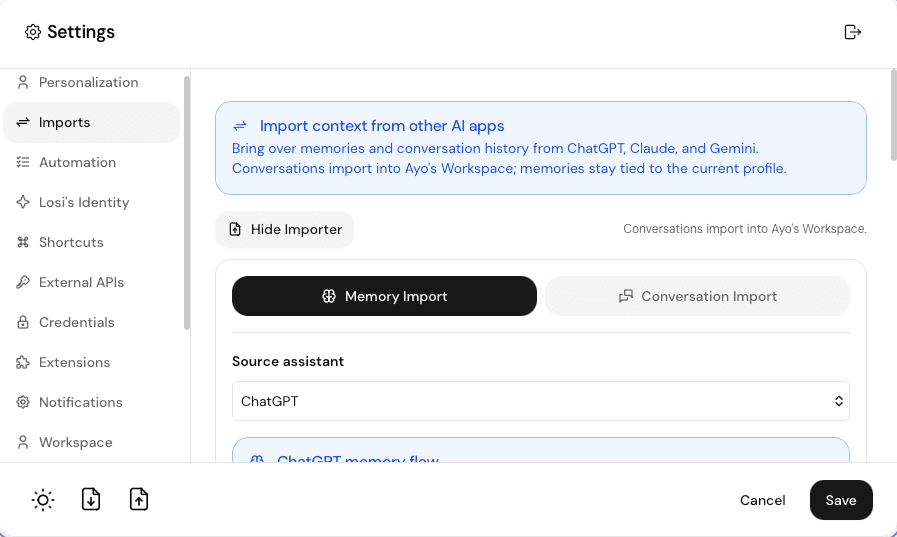
Import memory
Open the importer
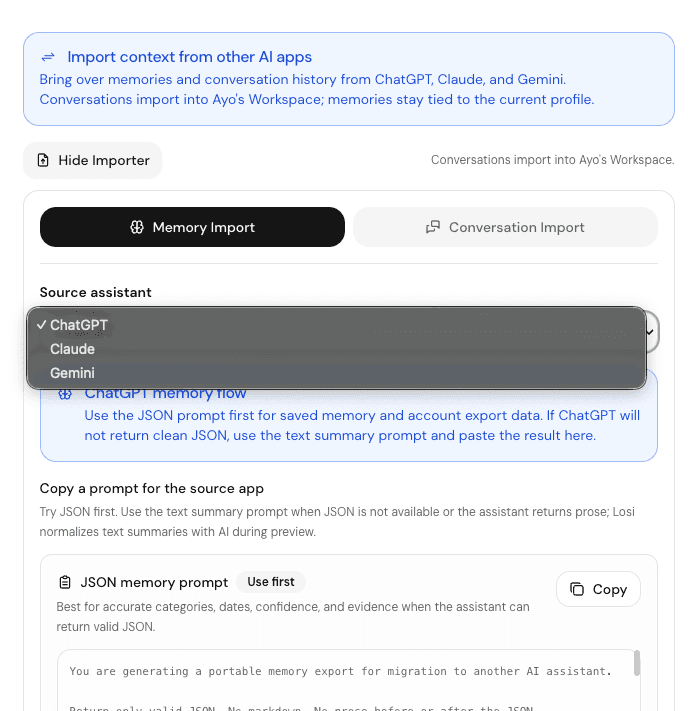
Go to /import or open Settings > Imports, then choose ChatGPT, Claude, or Gemini as the source assistant.
Choose memory import
Use memory import for saved memories, custom instructions, durable preferences, and other context the assistant should keep using.
Copy the right prompt
Use the JSON memory prompt first when the source assistant can return structured JSON. Use the text summary prompt when it returns prose or markdown.
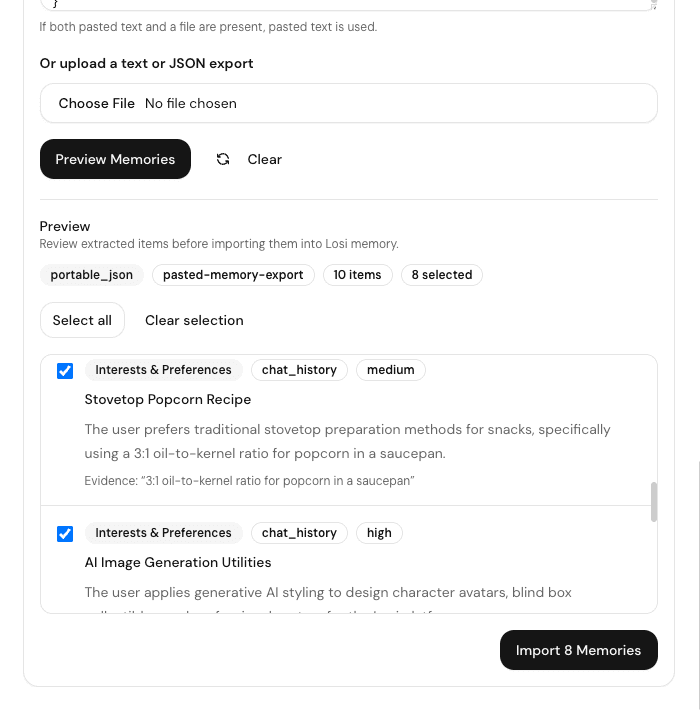
Paste and preview
Paste the memory response into Losi and preview each item before saving it.
Import chat history
Use chat history import when you want full conversation threads, not just durable memory. Losi accepts provider ZIP exports and common JSON, JSONL, text, markdown, and HTML files for preview.
Export from the source provider
Download the source archive from ChatGPT, Claude, or Gemini. Use the provider export guide if you need exact steps.
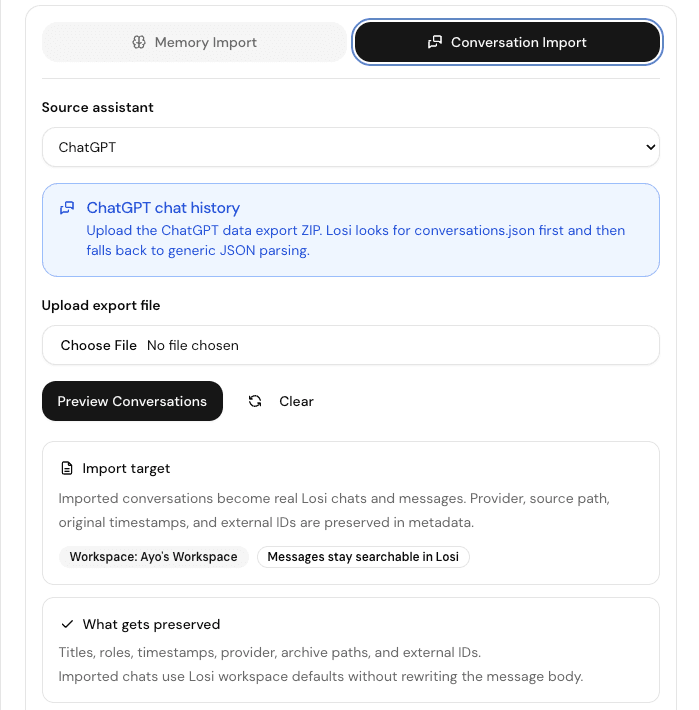
Open conversation import
Return to /import or Settings > Imports, choose the provider, then switch to conversation import.
Upload the archive
Upload the ZIP or supported file. Losi shows titles, roles, timestamps, provider, archive paths, and external IDs when available.
Choose what to save
Select the useful conversations in the preview. If the file format varies, review any warnings before importing.
Supported provider paths
- ChatGPT: request the data export from ChatGPT settings and upload the ZIP to Losi.
- Claude: request the data export from Claude privacy settings and upload the ZIP, JSON, or JSONL file to Losi.
- Gemini: use Google Takeout for Gemini data, then upload the Gemini ZIP or JSON to Losi and review the preview carefully.
- Memory-only migration: use the copy prompt inside the Losi importer when a provider export is not the right shape or when you only need durable preferences.
Find imported conversations
Saved conversation imports become private Losi chats with import metadata. Open them from normal chat history and use the imported title or provider context to find the right thread.
Imported memories are saved as imported memory records tied to the current profile, so review memory content before saving it.
Delete or replace imported content
- Delete an imported chat the same way you delete another private Losi chat.
- Edit or remove imported memories from the memory management area when a saved item is wrong or no longer useful.
- If you reimport a provider archive, preview it again and select only the conversations you want to keep. Do not assume the source provider and Losi use identical overwrite rules.
Troubleshoot import issues
- If no conversations appear, confirm that the export file is the original ZIP or a supported JSON, JSONL, text, markdown, or HTML file.
- If Gemini imports show warnings, review the preview counts because Google Takeout formats can vary.
- If a memory prompt returns prose instead of JSON, use the text summary prompt and let Losi normalize it for preview.
- If an import is too broad, go back to preview and select only the conversations or memories that should become Losi context.
How your imported data is handled
Conversation imports are saved as private Losi chats in the selected workspace with provider and archive metadata. Memory imports are saved as imported profile memories after preview.
Review sensitive data before saving. Imported history can include personal details, drafts, client work, or unrelated conversations from the source account.
Ask Losi what to do next
After import, ask Losi to summarize the themes, find open loops, extract tasks, or turn a thread into a project plan.
For collaborative work, ask Losi to create a Space for friends, family, classmates, teammates, or coworkers, then move the useful notes and tasks there.
- What decisions did these conversations already settle?
- What tasks, deadlines, or unanswered questions are still open?
- What should become a note, task, or shared Space?
- What context should Losi remember when helping with this work later?